WordPress Child Themes Explained: When You Need One
A child theme keeps your code changes safe when the parent theme updates. Here is how they work, when you need one and when you don't.

By Steve, Founder and editor, website developer
Updated
· Last reviewed · 2 min read
In short
- A child theme is an extension of a parent theme that lets you change it without editing the parent's code.
- When the parent theme updates, your changes in the child theme are kept.
- The only file a child theme must have is style.css, with a "Template" line naming the parent theme's folder.
- If you only change a block theme in the Site Editor, you usually don't need a child theme.
What is a child theme?
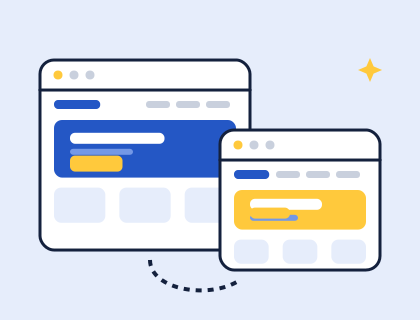
WordPress's theme handbook describes child themes as extensions of a parent theme that let you modify an existing theme without directly editing its code. The child theme sits in its own folder and borrows everything it doesn't override from the parent.
Why use a child theme?
Because theme updates replace the theme's files. If you edit a theme's files directly, the next update overwrites your changes. With a child theme, your changes live in a different folder, so you can keep receiving updates to the parent theme without losing them. Read more in how to update a WordPress theme.
Do you need a child theme?
- Yes, if you want to change a theme's files: add custom templates, PHP functions or CSS to a theme that someone else updates.
- Usually not, if you only change a block theme through Appearance › Editor. Those changes are saved in your site's database, not in the theme's files, so a theme update doesn't remove them.
- No, for a theme you made yourself, for example in our theme builder, because no one else will push updates over your changes.
How do you make a child theme?
- In
/wp-content/themes/, create a folder such asparent-name-child. - Inside it, create
style.csswith at least these lines (use the parent's folder name inTemplate):/* Theme Name: My Child Theme Template: twentytwentyfive */ - Activate the child theme in Appearance › Themes. The parent must stay installed.
- Add only what you want to change: for a block theme, a template or part with the same file name as the parent's replaces it, and a
theme.jsonin the child adjusts the parent's settings.
The theme handbook calls style.css the one absolutely necessary file for a child theme, and the Template header is what links it to its parent.
Where to go next
Learn what's inside a block theme, or see the other ways to make your own theme.
Questions and answers
Do I need a child theme?
Only if you plan to edit a theme's files and that theme gets updates from someone else. Changes made in the Site Editor are stored in your database, so they survive theme updates without a child theme. Child themes explained.
Sources and further reading
Didn't find your answer?
Ask us anything about WordPress or the theme builder. We answer the most useful questions here, so others can benefit too.